Transparent Data Encryption
Transparent data encryption (TDE) is a feature in SQL server to secure the database by encrypting entire SQL server with real-time I/O encryption and decryption of data and log files. With TDE, it can prevent malicious party who steals physical media like drives or backup tapes can restore or attach the database and browse its data.
Working of Transparent Data Encryption
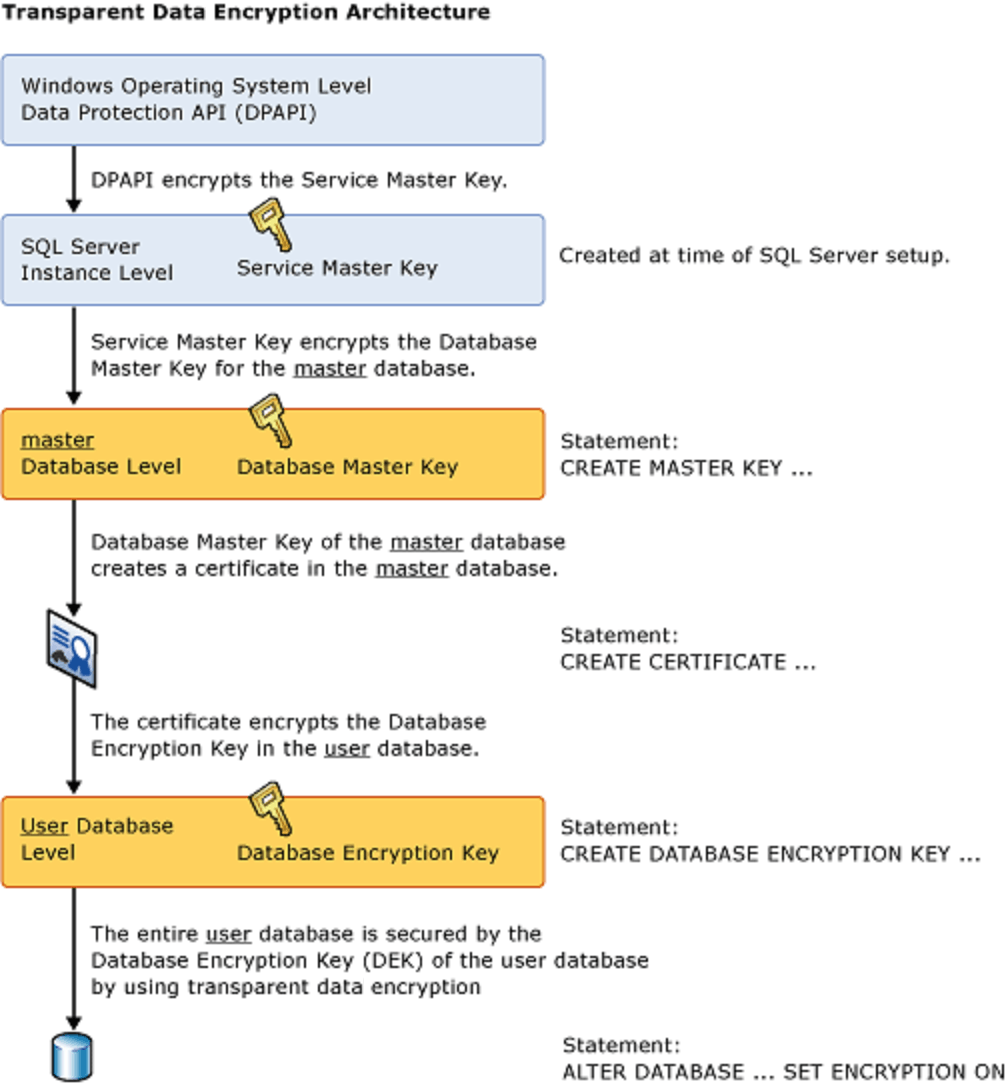
- Operating System Level
- SQL Server Instance Level
- Master Database Level
- Certificate Generation
- User Database Level
- Data Encryption
At this level (the lowest level of database), it will encrypting the Service Master Key with DPAPI (Windows feature used to protect sensitive data, like encryption keys).
The Service Master Key is crucial because it provides the top layer of encryption management for the entire SQL Server instance.
Each database instance has a "master" and it contain a Database Master Key. It will be encrypted by the Service Master Key.
A certificate is needed to encrypt the Database Encryption Key (DEK) when performs TDE. The Database Master Key is responsible for creating the certificate.
The certificates will act as a middle layer of security which uses to encrypt the Database Encryption Key in user database.
Database Encryption Key (DEK) is created in this level to encrypt the actual data in user database.
Once the DEK is in place, the entire user database is encrypted using the DEK by setting the database encryption on with the SQL command
Configuration of TDE in SQL Server
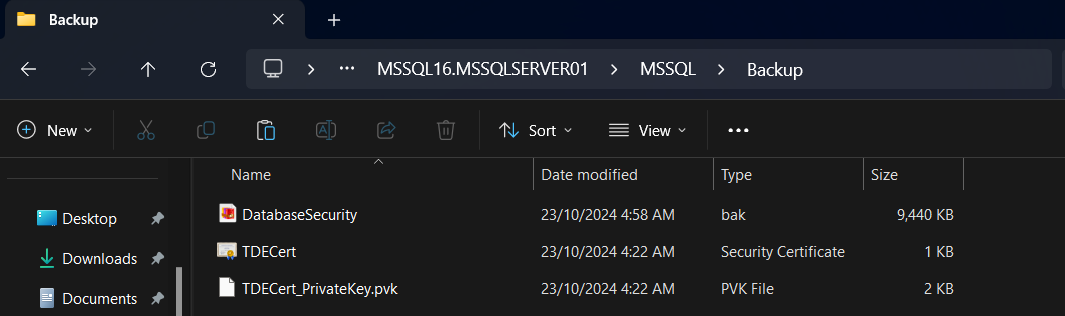
Backup the certifications and encryption key (DEK) is an important things to process data recovery and database restoring. If you need to restore the database to another server (for instance, during disaster recovery or server migration), you will need the certificate and its private key to access the encrypted data. If you lost these backups, you won't be able to attach or restore the encrypted database files.
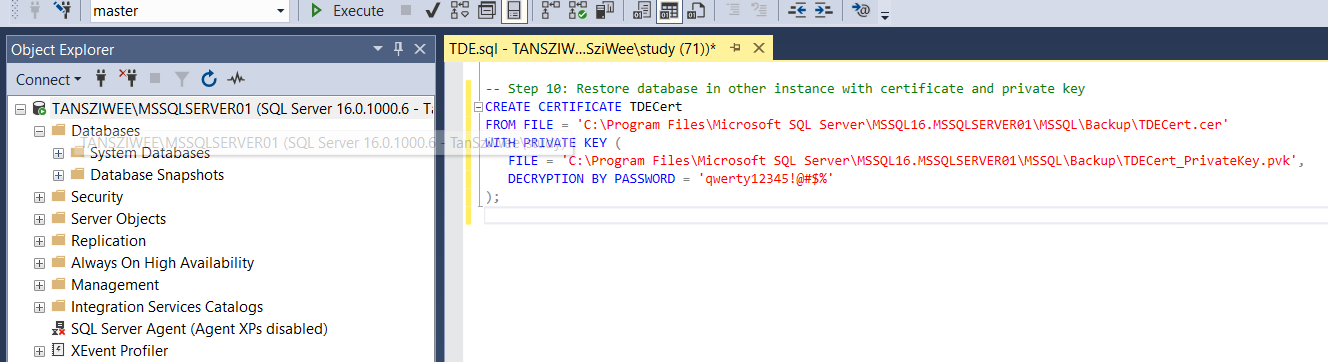
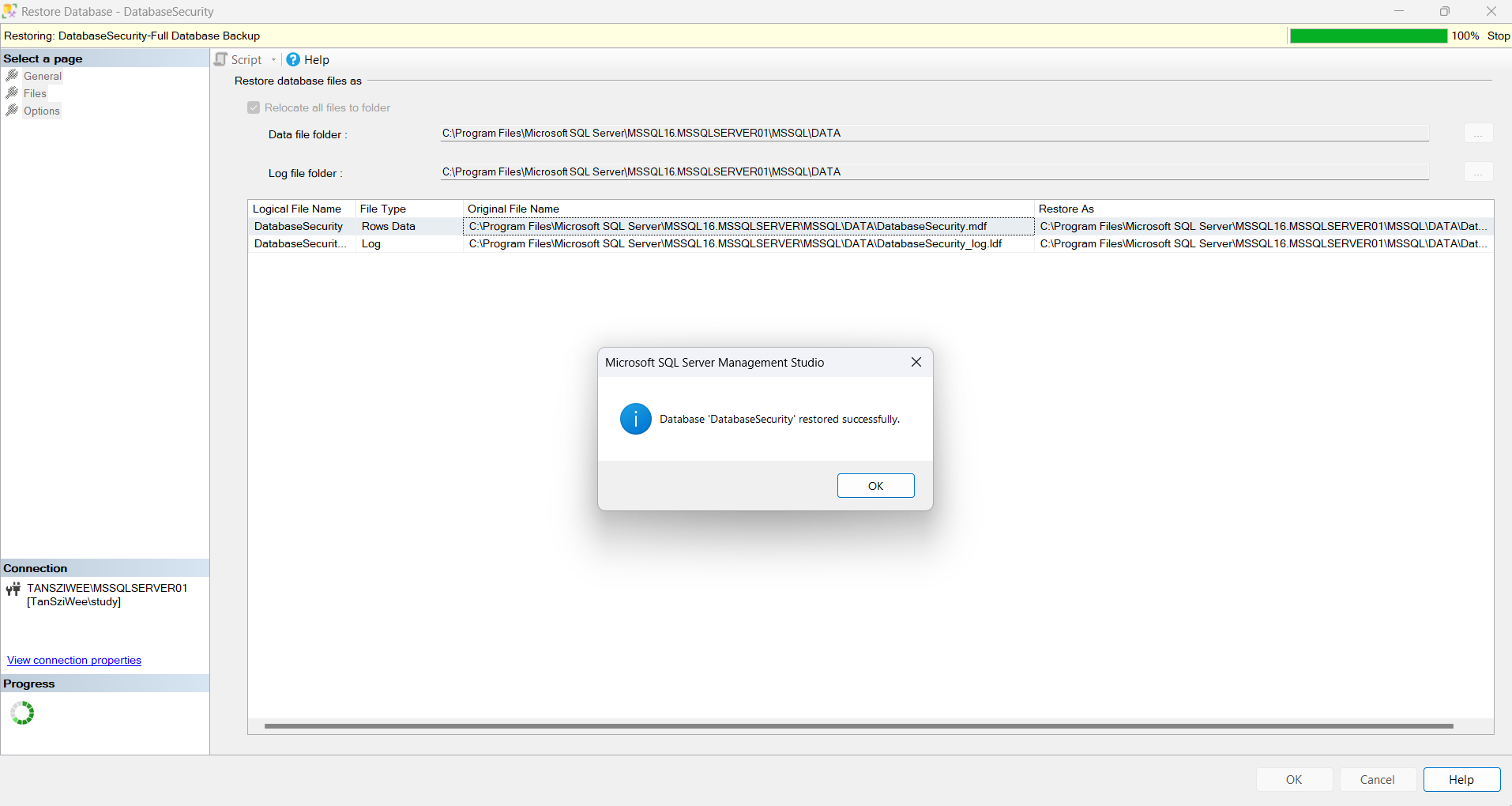
Since TDE is configured, now its only able to restore the database with certificate and DEK. If you want to restore the database in other instance, you should do the following steps.
- Copy the backup certificate and DEK to new instance path
- Create master Key and certificate inside instance
- Restore the database