Bitlocker
Bitlocker is a full disk encryption feature included with Microsoft Windows (starting from Windows Vista and later versions) that is designed to protect data by encrypting the entire disk. It uses the Advanced Encryption Standard (AES) algorithm to secure the contents of your disk, ensuring that only authorized users can access the data.
Advantages of Bitlocker
- Protection Against Unauthorized Access
- Pre-Boot Authentication
- Free for Windows Users
- TPM (Trusted Platform Module) Integration
BitLocker protects against both physical theft (such as a lost or stolen laptop) and malicious attempts to access the system's data by ensuring that the encrypted drive is inaccessible without the correct credentials.
Users must provide authentication information (PIN, USB key, or password) before the operating system boots
BitLocker is built into certain editions of Windows (e.g., Pro and Enterprise versions), it is free to use for those users, saving the cost of third-party encryption solutions.A
BitLocker uses the computer's TPM to manage encryption keys securely. The TPM enhances security by preventing unauthorized access, even if the hard drive is removed from the computer and installed in another machine.
Windows 10 Bitlocker Configuration
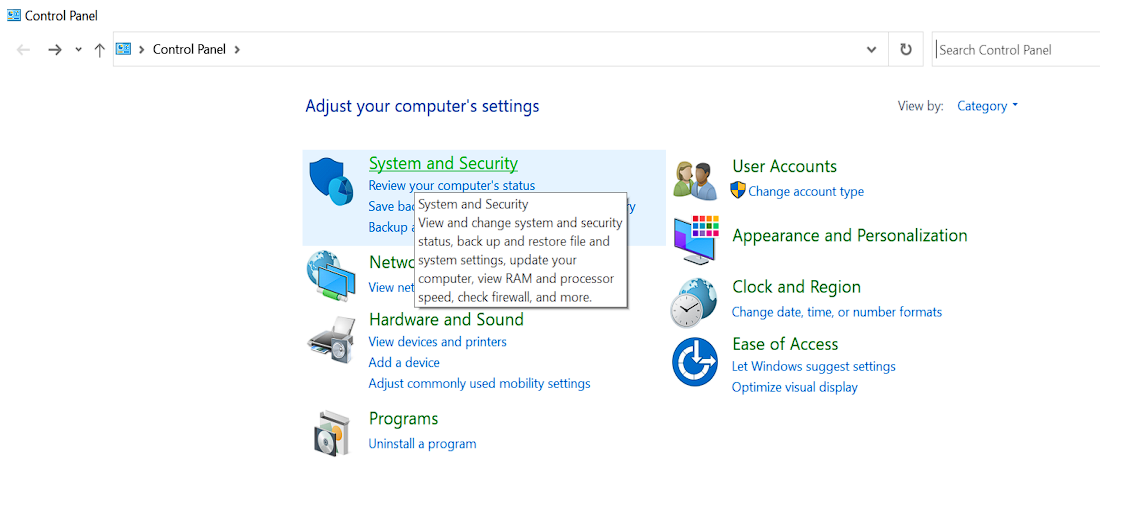
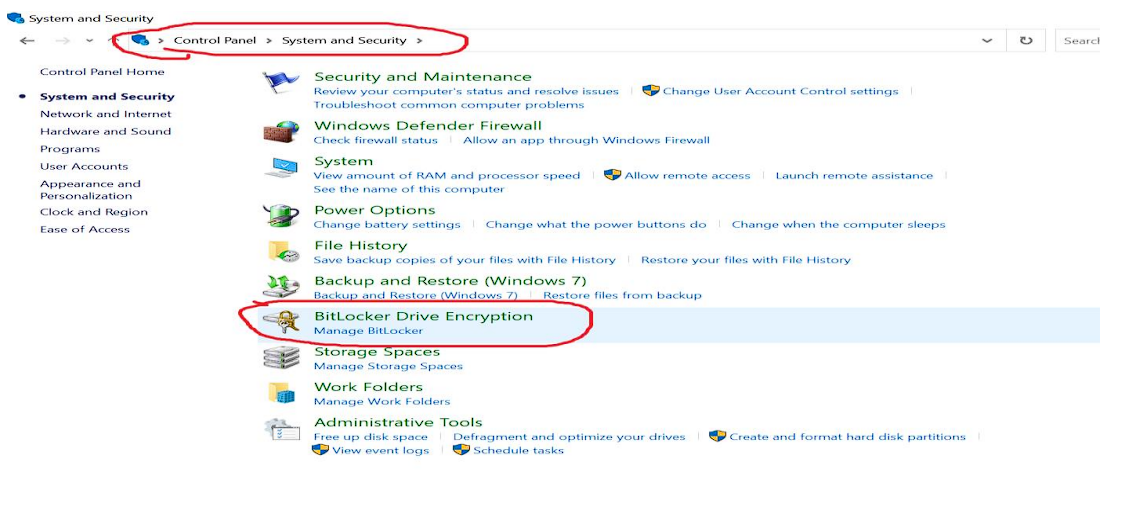
Control Panel > System and Security
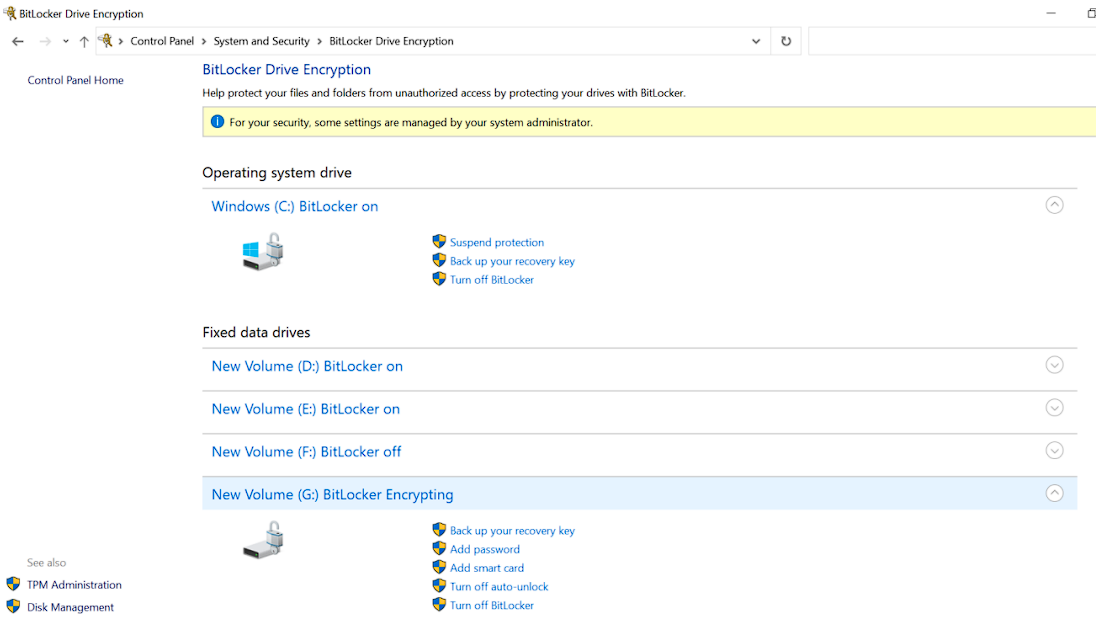
Bitlocker Drive Encryption
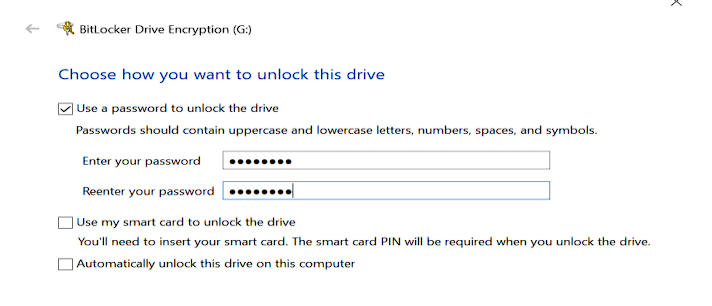
Add Password
Set Password for Disk (Do Not Forget)
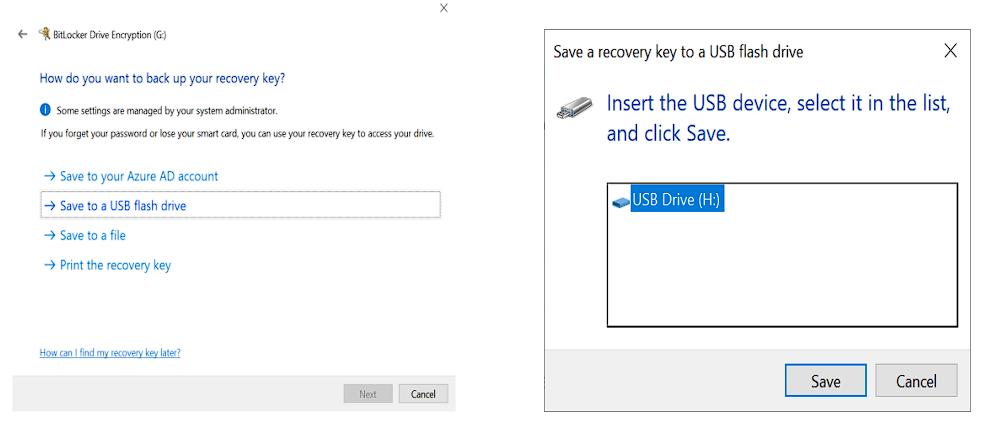
Choose a Method to Backup Recovery Key